Buffer schedules your posts. LinkyCoach helps you show up in the conversation.
Buffer is a multi-network scheduler. You queue posts and they publish across LinkedIn, Instagram, X, and more — broadcasting on autopilot. But growth on LinkedIn isn't only about what you post; it's about commenting on the right people's posts, consistently. That's a different job, and it's the one LinkyCoach was built for — including the honest reasons Buffer might still be the better fit for you.
What Buffer is, and where it stops
Buffer (buffer.com) is one of the longest-running social media management tools. Its core job is scheduling and publishing: connect your channels, load posts into a queue, and let them go out across every network from one dashboard. It's genuinely good at that — and if you're managing a presence on several networks at once, it's hard to beat. But two things matter for LinkedIn specifically:
- Buffer is publishing-first, not engagement-first. Its center of gravity is your outbound queue, an AI Assistant for post ideas, and analytics on what you sent. Engaging with other people's posts is limited to replying to comments on your own content in the Community tab — there's no watchlist of people you want to reach, and no help writing thoughtful comments on their posts.
- Pricing scales per channel. As of August 2026, Buffer's public pricing is a Free plan (up to 3 channels, 10 queued posts per channel), Essentials at roughly $5 per channel/mo billed annually (about $6 monthly), and Team at roughly $10 per channel/mo. The sticker price is low, but it's per connected channel, so the bill grows with every network you add.
None of that is a knock on Buffer. It's just aimed at the broadcast side of social. LinkedIn relationships are built on the reply side — showing up in the comments of the people you actually want to know — and that's a habit, not a queue.
Buffer vs. LinkyCoach, honestly
| What you're trying to do | Buffer | LinkyCoach |
|---|---|---|
| Multi-network scheduling & publishing | Yes — the core product; queue and publish across LinkedIn, Instagram, X, Facebook, and more | No — LinkyCoach is not a scheduler and never auto-posts |
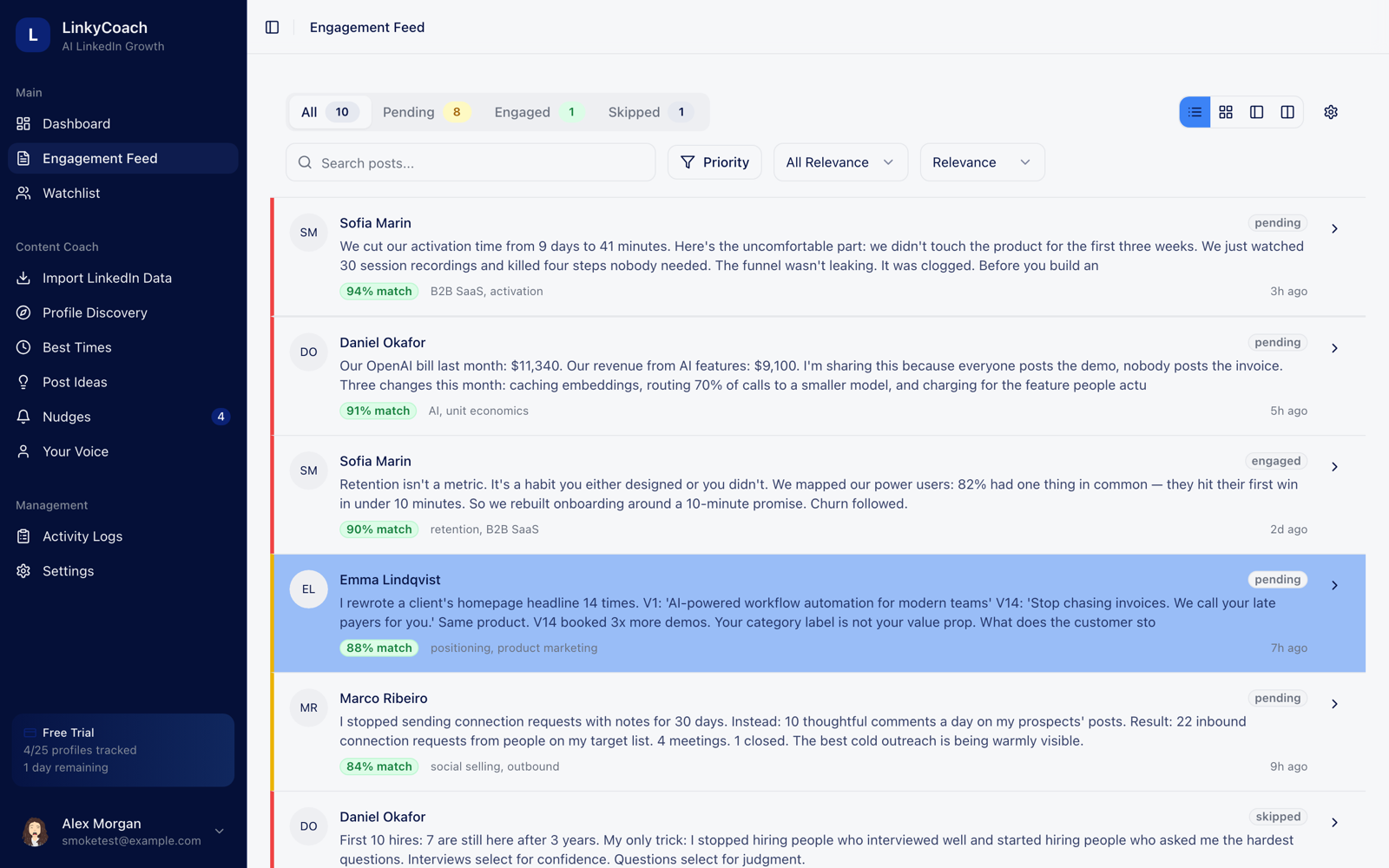
| Engaging with other people's posts | Limited to replying to comments on your own content (Community tab) | The whole point: tracked profiles' posts land in one queue, scored 0–100 for relevance to you |
| AI comments in your voice | AI Assistant helps write posts, not comments on others' posts | Three comment drafts (thoughtful, questioning, personal) from a voice profile built on your own posts |
| Habit & coaching layer | None — it's a scheduling dashboard | Nudges, streak milestones (3/7/14/30/60/100 days), and a weekly engagement goal |
| LinkedIn focus | One of many networks; features vary by channel type | LinkedIn-only, so every feature is tuned for how LinkedIn actually works |
| Pricing | Free (3 channels) · ~$5/channel/mo Essentials · ~$10/channel/mo Team (per channel, annual) | Free to start — no card, 3 days of full access; then Basic $29/mo, Pro $59/mo or Business $99/mo |
Where LinkyCoach fits
LinkyCoach is engagement-first by design. The loop: track the profiles that matter — prospects, peers, people you admire → their posts land in a feed scored 0–100 for relevance to you → each post comes with three comment drafts written from a voice profile learned from your actual posts → nudges and streaks keep the habit alive → timing recommendations come from your own posting history, not generic best-time charts.
Safety is the headline, not a footnote: LinkyCoach never asks for your LinkedIn password, doesn't use a cookie-based extension, and never posts or comments on your behalf. Every AI draft waits for you to review, edit, and post it yourself. It's a single-seat tool focused on one person building one real habit — not a broadcast console.
Who should NOT pick LinkyCoach
Honesty over conversion. Buffer is the better call if any of these describe you:
- You want to schedule and publish content. LinkyCoach has no queue and no scheduler. If your main need is getting posts out on a calendar, Buffer does exactly that.
- You manage several networks. Instagram, X, Facebook, TikTok, threads — Buffer handles them from one dashboard. LinkyCoach is LinkedIn-only, on purpose.
- You want a publishing team workflow. Buffer's Team plan adds collaboration and approvals. LinkyCoach is single-seat.
- You mainly want post analytics. Buffer reports on what you published. LinkyCoach analyzes your history for voice and timing, not broadcast dashboards.
- You want automation that runs itself. Buffer auto-publishes your queue. LinkyCoach deliberately keeps a human in the loop — it drafts, you decide.
Buffer publishes. LinkyCoach gets you noticed.
If you already schedule with Buffer, LinkyCoach is the missing other half — the engagement habit that turns posts into relationships. It's free to start — no card required. You get 3 days of full access, then it's Basic at $29/mo, Pro at $59/mo or Business at $99/mo. Cancel anytime.
Start free — no card requiredNo LinkedIn password required. Ever.
Comparing engagement tools too? Read the Taplio alternative and Aware alternative comparisons.